Extronics iCAM501U Manual do Utilizador
Consulte online ou descarregue Manual do Utilizador para Câmaras de vídeo Extronics iCAM501U. iCAM501U/iCAM502 Complete Manual Manual do Utilizador
- Página / 42
- Índice
- MARCADORES

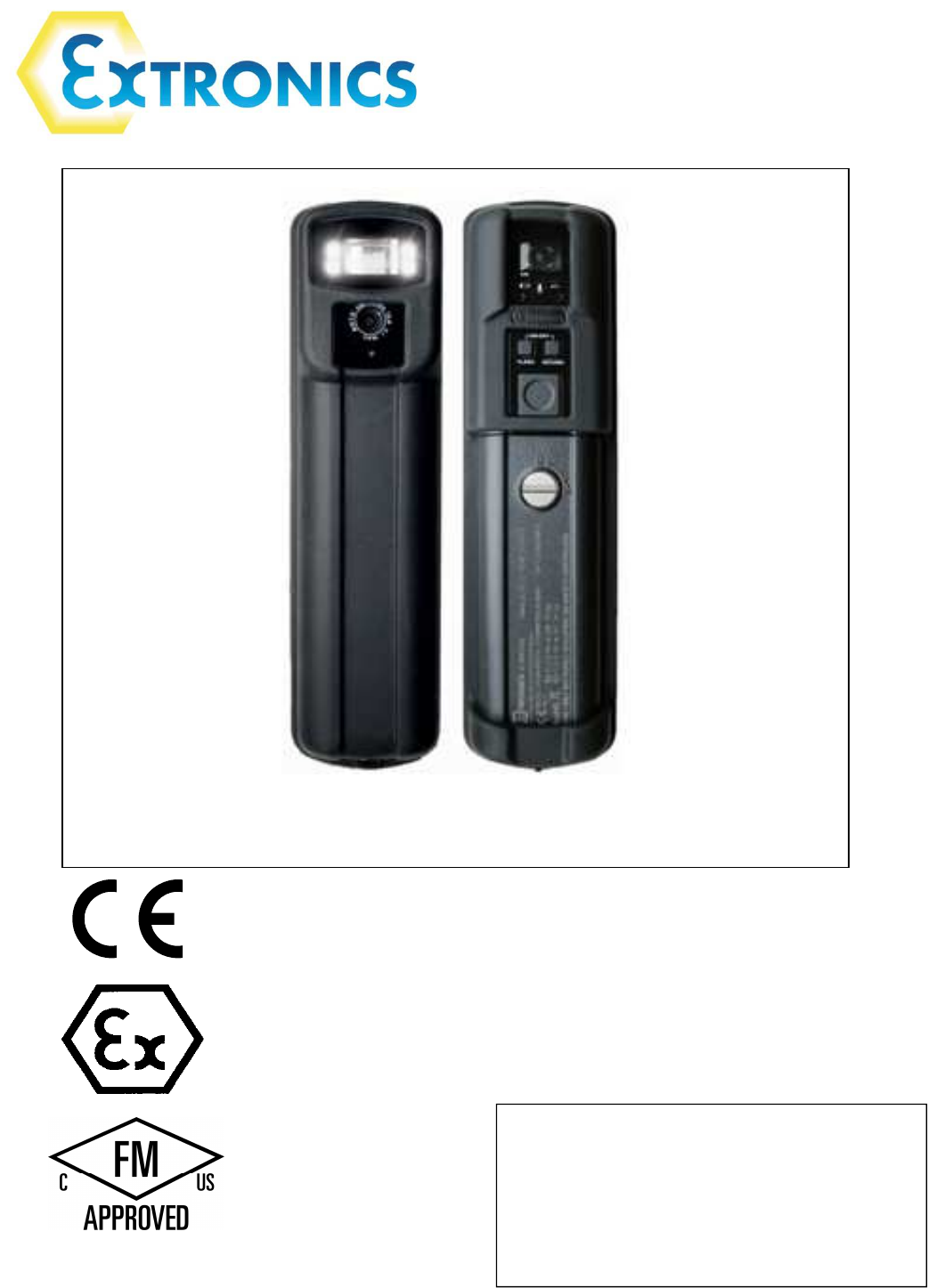
- Operating Manual 1
- Contents 3
- 1.1 Storage of this Manual 4
- 1.3 List of Notes 5
- 2 User Guide 9
- Battery 10
- Compartment 10
- USB Port 10
- 2.3 Powering On/Off 11
- 2.4 Taking a Picture 12
- 2.5 Picture Quality 12
- 2.6 Using the flash 13
- 2.7 Voice record function 15
- Installation 21
- 2.11 Upgrading Firmware 28
- 3 Structure and Function 30
- 4 Technical Data 32
- 5 Warranty Information 34
- 6 Certification 35
- Compliance 38
- 7 Revision History 42
Resumo do Conteúdo
Operating Manual iCAM501U and iCAM502 Country of Origin: United Kingdom This device complies with part 15 of the FCC Rules. Op
Operating Manual 10 2.2 Changing/Installing Batteries Warning! For iCAM501U refer to notes in section Error! Reference source not found., and refe
Operating Manual 11 2.3 Powering On/Off Information The iCAM50x must be fully powered on before plugging a USB cable into the camera or taking a
Operating Manual 12 2.4 Taking a Picture 1. Press and hold the picture button until the Green LED starts flashing rapidly. 2. Wait for the Gree
Operating Manual 13 To indicate a bad picture, the three LED’s flash IN SEQUENCE three times from right to left i.e. red, blue, green etc. The
Operating Manual 14 Note: The flash can take up to 20 seconds to fully charge when the batteries are depleted. 2.6.1 Variable flash brightness T
Operating Manual 15 2.7 Voice record function 1. This feature allows a message to be associated with a picture. Press the record button – the bl
Operating Manual 16 2.8 Connecting the iCAM50xto a computer Note The iCAM50x does not require the installation of any drivers Simply turn on the
Operating Manual 17 Example of iCAM50x image time stamping If the clock on the iCAM50x has not been set, and the camera has
Operating Manual 18 2.9.2 Windows Vista / Windows 7 Once the iCAM50x has been connected to a machine running Windows Vista or Windows 7, communi
Operating Manual 19 2.9.2.1 Operation without windows 7 Autoplay Simply browse to Computer\iCAM50x, and click on Internal NAND Flash as shown. Pict
Operating Manual 2 This page is intentionally left blank. Document Number 405444-1.0 ©2014 Extronic
Operating Manual 20 If there are large numbers of pictures on the iCAM50x this may take some minutes as it will download thumbnails for the pictu
Operating Manual 21 Installation Please note that you may require administrative rights on your computer to install and run this program. If in do
Operating Manual 22 7. If the time setting process fails, the following will appear. Reconnect the iCAM501 and try again. If the process is still
Operating Manual 23 You will notice the audio file has been saved with the same numeric value as the picture it is linked to. If you do not h
Operating Manual 24 You will be presented with a progress bar indicating the transfer of the pictures Then select “nothing, I’m finished workin
Operating Manual 25 2.10.4 Using Windows XP Automatic Picture Download Feature If the Automatic picture download feature was selected in
Operating Manual 26 Click on the Import settings to customize the where and the way in which Windows will import the pictures.
Operating Manual 27 Select an option for how a file name is constructed. E.g. ..\My pictures\Date Imported + Tag\Tag xxx.jpg. This w
Operating Manual 28 Open Windows Explorer after import will automatically open the folder containing the latest files imported. Click ‘OK’ and
Operating Manual 29 Once installation is complete, go to Start ->Programs -> Extronics -> iCAM50x and run the desired installation co
Operating Manual 3Contents 1 Safety Information and Notes ...
Operating Manual 30 Once complete, the camera will power itself off. Simply power it back on as normal (press and hold the ‘flash enable’ and ‘recor
Operating Manual 31 3.3 Authorized Persons Only persons trained for the purpose are authorized to handle the iCAM50x; they must be familiar with th
Operating Manual 32 4 Technical Data 4.1 iCAM501U Certification Number ITS09ATEX26868X, IECEx ITS 09.0027X ATEX Certification (Units dated before
Operating Manual 33 4.2 iCAM502 Certification Number ITS09ATEX26868X, IECEx ITS 09.0027X ATEX Certification II 1 G Ex ia IIB T4/T3 Ga, II 2 G Ex ia
Operating Manual 34 5 Warranty Information The Customer shall carry out a thorough inspection of the delivered project or equipment wi
Operating Manual 35 6 Certification 6.1 iCAM501U EC Declaration of Conformity (units dated before 18th July 2013)
Operating Manual 36 6.2 iCAM501U / iCAM502 EC Declaration of Conformity (units dated after 18th July 2013)
Operating Manual 37
Operating Manual 38 6.3 iCAM501U and iCAM502 USA Class 1 Division 1 Certificate of Compliance (For all iCAM501U units, iCAM502 units dated after 18
Operating Manual 39
Operating Manual 41 Safety Information and Notes 1.1 Storage of this Manual Keep this user manual safe and in the vicinity of the device. All pers
Operating Manual 40 6.4 iCAM501U and iCAM502 Canadian Class 1 Division 1 Certificate of Compliance (For all iCAM501U units, iCAM502 units dated af
Operating Manual 41
Operating Manual 42 6.5 ATEX / IECEx Certificates Please refer to Extronics website for all current product approval certificates, or email info@ex
Operating Manual 51.2.2 Class1 Division 1 1.2.2.1 iCAM502 (units dated before 18th July 2013) iCAM502 units with date codes before 18th July 2013
Operating Manual 6Warning! For ATEX/IECEx GROUP I applications ONLY the rated ambient temperature range of the equipment is from 0oC to 60o
Operating Manual 71.3.1.3 Notes specific to iCAM502 units dated before 18th July 2013 Warning! For ATEX/IECEx GROUP II applications, ONLY Du
Operating Manual 8 1.4 iCAM50x cell compatibility Table 1 iCAM50x Cell Compatibility Camera Application Duracell Plus MN1500 Duracell
Operating Manual 92 User Guide 2.1 Preparing for Use The iCAM50x is shipped with a protective film fitted to the front and rear windows. This sh
Mais documentos para Câmaras de vídeo Extronics iCAM501U


Manuais e produtos relacionados com Câmaras de vídeo Extronics iCAM501U
 (15 páginas)
 (52 páginas)
© 2020, manymanuals-pt.com. Todos os direitos reservados. | 0.045 s |
 Manymanuals.com
 Manymanuals.de
 Manymanuals.fr
 Manymanuals.it
 Manymanuals.pl
 Manymanuals.cz
 Manymanuals.es
 Manymanuals-pt.com
Comentários a estes Manuais